

Overview
The My Jobs Dialog can be displayed using the My Jobs menu button displayed at the main RPI menu:

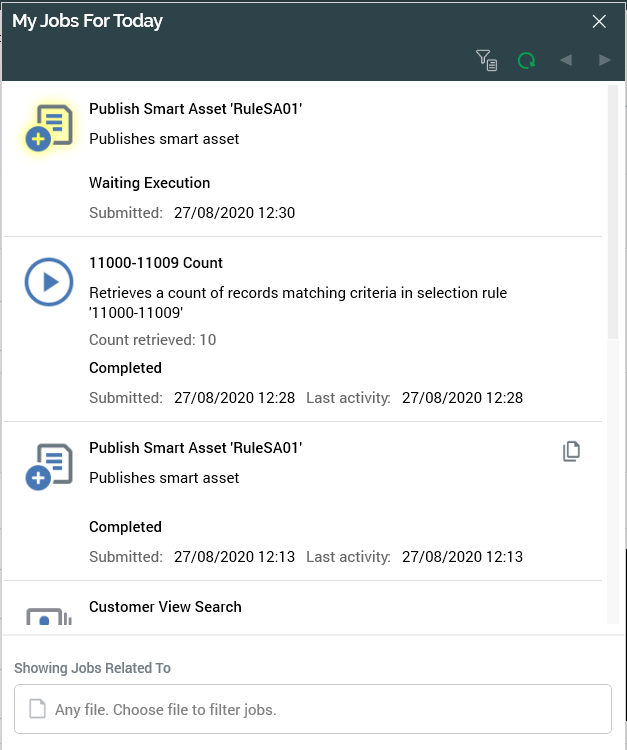
Clicking the button displays the My Jobs Dialog without a file context. All jobs that satisfy the default search criteria are shown.
In addition, the My Jobs Dialog is also shown automatically at the creation of a most job types. Further details are provided elsewhere in the documentation.
My Jobs Dialog Content
The My Jobs Dialog is non-modal; you can continue to work within the main RPI client application interface while it is displayed.
The Dialog is composed of the following sections, each of which is documented separately:
Each type of job that can be shown in the My Jobs Dialog is also documented separately.