

Message History decision criteria allow you to make Realtime decisions on the basis of a visitor's having been served messages by a Smart Asset. Two Message History criteria are available when an Orchestration Realtime decision's Smart Asset property has been populated with an Advanced Smart Asset:
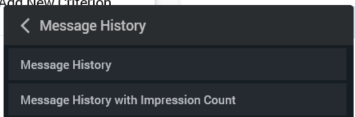
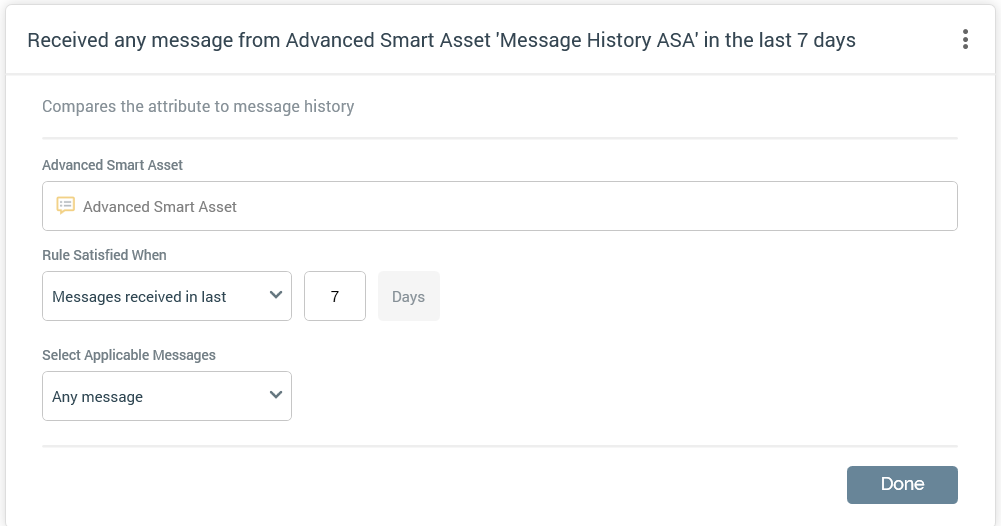
When in edit mode, a Message History criterion has the following properties:
-
Advanced Smart Asset
-
Rule satisfied when: a dropdown property, exposing values 'Messages received' (the default) and 'Messages not received'
-
In last [n] day(s): a mandatory integer property, which defaults to 7, and accepts a range of values from 1 to 999.
-
Select Applicable Messages: a dropdown, exposing the following:
-
Any message: selected by default. When selected, no additional properties are shown.
-
Specific messages: when selected, all messages from the selected advanced smart asset are listed. Each is accompanied by a checkbox.
-
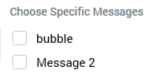
It is mandatory to select at least one message.
When in read-only mode, a message history criterion is displayed as per the following example:

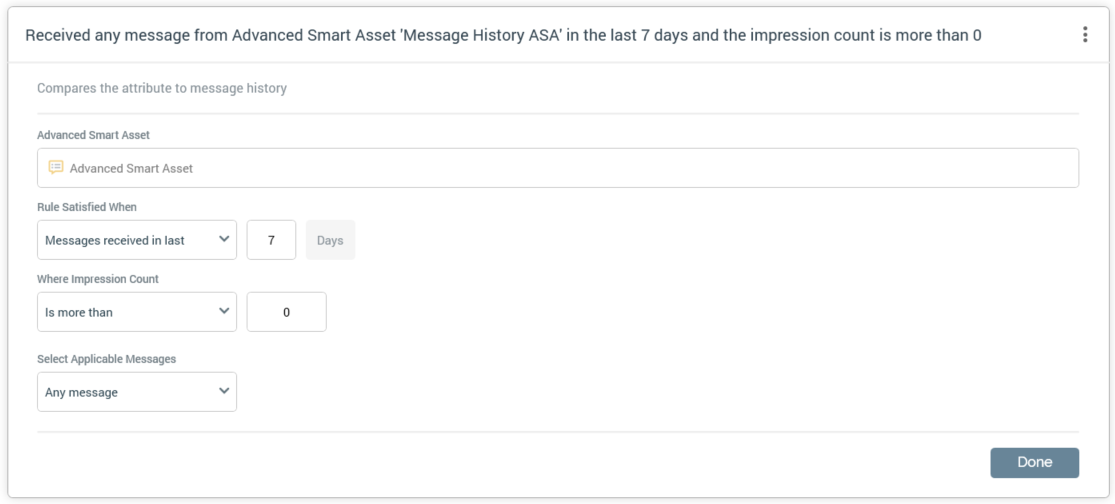
When in edit mode, a Message History with Impression Count criterion displays the same set of properties as a Message History criterion, with an additional property also being displayed:
-
Where Impression Count: two additional properties are shown:
-
[Operator]: this dropdown field defaults to 'Is more than'.
-
[Value]: this integer property defaults to 0, and accepts a range between 9 and 999,999.
-
When in read-only mode, a message history with impression count criterion is displayed as per the following example:
