

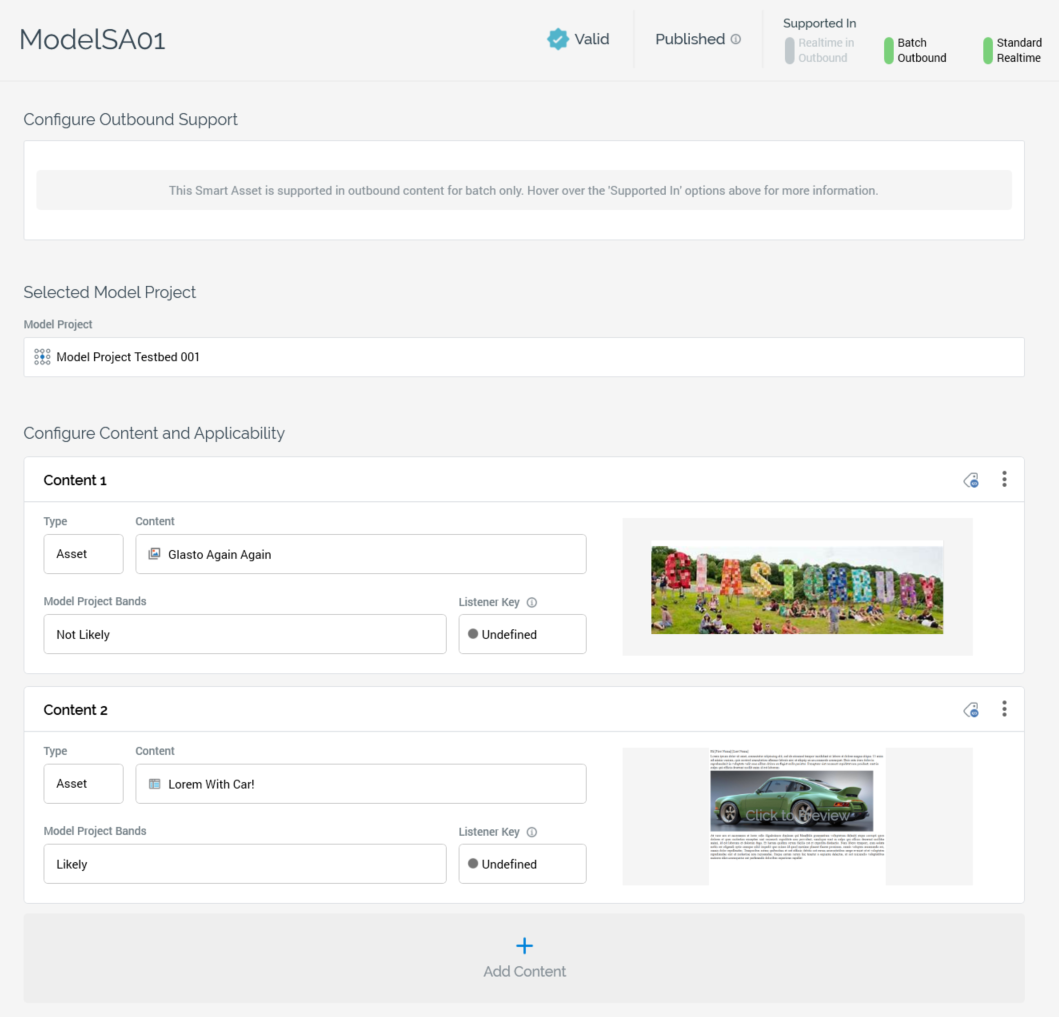
A model smart asset’s content panel contains the following:
-
Configure Outbound Support section: please see the Rule smart asset documentation.
-
Selected Model Project section: exposing the following properties:
-
Model Project: a model smart asset must be configured with a valid model project, in which bands have been configured. The bands exposed by the model project can be selected at content elements to determine whether a recipient or visitor should be served a specific piece of content.
-
The Model Project property can be populated using browse or drag and drop. Having chosen a Model Project, the following inline buttons are available:
-
Open Latest Version: displays the model project in the Model Project Designer.
-
Clear: clears the selected model project.
A context menu is also available when right-clicking a model project at the property.
-
Default Recommendation Rank: this mandatory integer property is only displayed when the selected model project uses a Redpoint Automated Machine Learning (AML) Recommender model. It represents the default recommendation rank that will be used when the smart asset generates content. The property defaults to the value '1'.
-
Configure Content and Applicability Section: the following specific property is displayed when configuring a model smart asset's content and applicability:
-
Model Project Bands: at each content element, you can choose the bands from the selected Model Project that are to be used to determine whether a specific piece of content should be served to a recipient or visitor.
-
Prior to selecting a Model Project, the following is displayed at the property:

Having selected a model project, clicking the property displays the Choose Model Project Bands dialog.
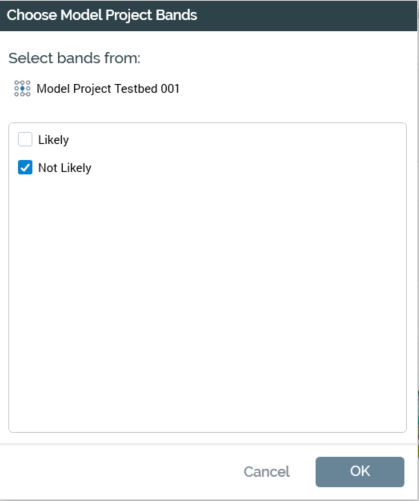
You can select the bands to apply to the content using the checkboxes provided. If a recipient or visitor falls within a selected band, they will be served the content defined at the content element.
-
Listener Key: please see the Rule smart asset documentation.