

Support for this connector has been deprecated and will be removed in a future release. Refer to the Connector deprecation plan for details.
This section describes how to create and configure http://Salesforce.com . Please follow the steps below:
-
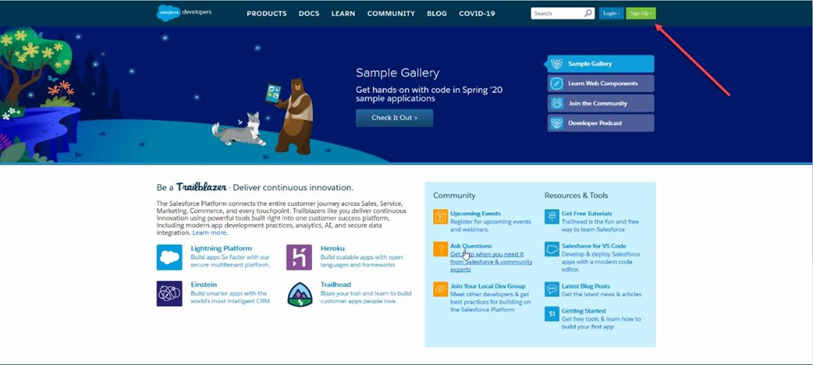
In a web browser, navigate to https://developer.salesforce.com/ and click Sign Up.
-
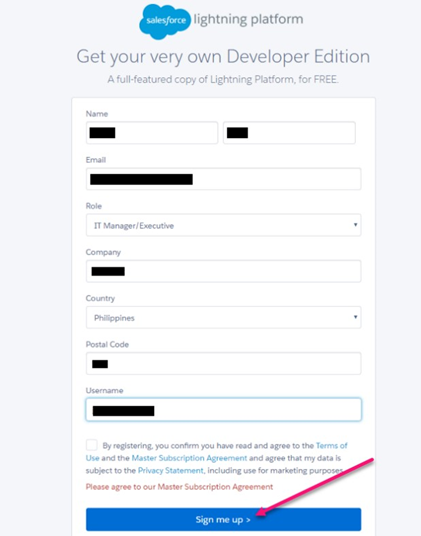
Complete the required details and click the Sign me up button.
-
Check your email for a ‘verify account’ email, and click the link therein.
-
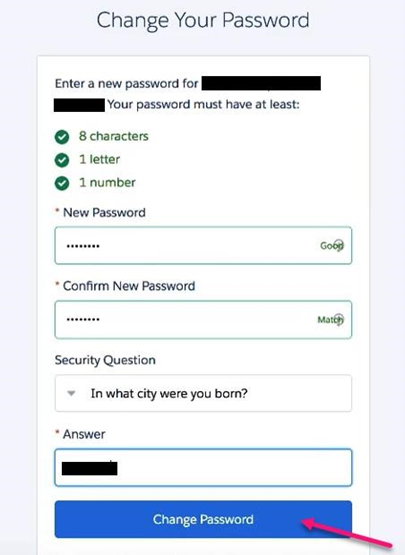
Complete the required fields to Change Your Password and click Change Password.
-
After setup is complete, you will be redirected to a new Salesforce trial.
-
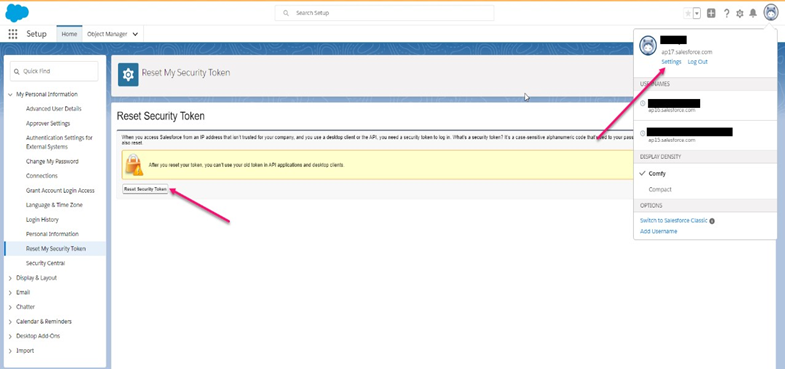
To locate the Security token please follow the following steps:
-
Go to View profile
-
Click Settings
-
Collapse My Personal Information
-
Click Reset My Security Token
-
Check your Email and copy Security token
-