This section describes how to create and configure a new Cloudinary account. Please follow the steps below:
-
In a web browser, navigate to https://cloudinary.com/.
-
Click Signup for free.

-
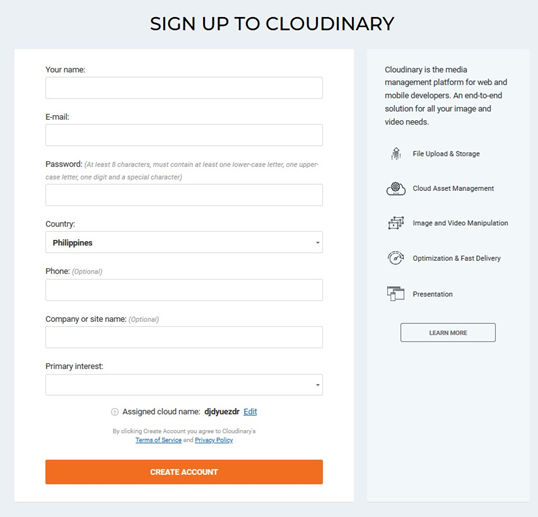
Provide all mandatory details and click Create Account.
-
Go to your inbox and locate the Cloudinary email to validate your Cloudinary account. Click Sign in to Validate your Email Address and you will be redirected to the Cloudinary portal.

-
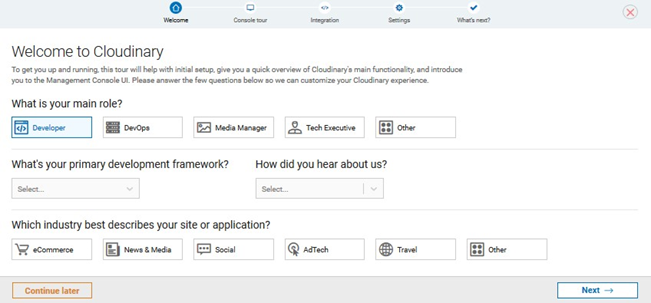
Click Next to complete the registration process.
-
In your Cloudinary dashboard, secure the values of the following parameters (used when provisioning new a Cloudinary connector in RPI):
-
Cloud name
-
API Key
-
API Secret

-
-
If you wish to upgrade your free account, click Upgrade plan, and follow further steps as provided.