

This section describes how to create configure Listrak for use with RPI. Please follow the steps below:
-
Log into the Listrak portal at https://admin.listrak.com/Account/Login.aspx.
-
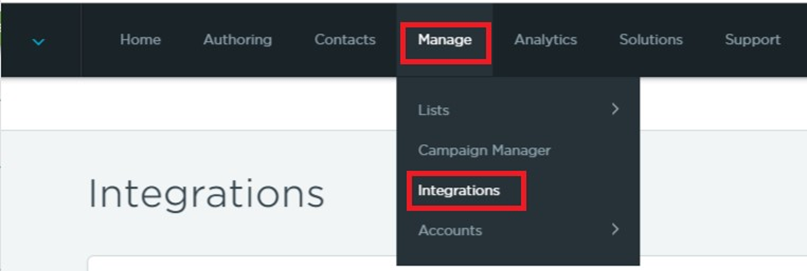
Navigate to Manage > Integrations.
-
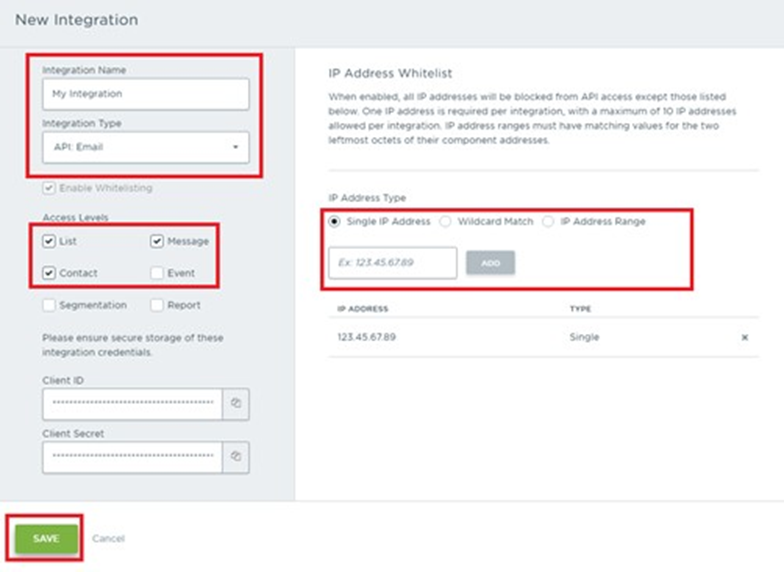
In the New Integration form, Complete the following details:
-
Integration Name
-
Integration Type: set to ‘API: Email’
-
Access Levels: check List, Contact and Message
-
Add your machine IP address to the IP Address Whitelist • Copy the Client ID and Client Secret to a text file
-
-
Save your changes.