

Upgrading RPI Realtime files is carried out using Server Workbench.
In the initial Server Workbench interface’s Welcome overlay, select the Upgrade RPI Realtime tab:
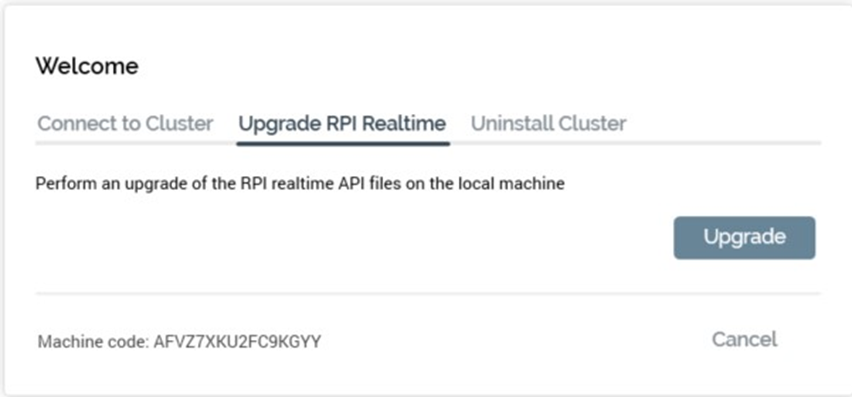
Click the Upgrade button to display the Upgrade RPI Realtime API overlay:
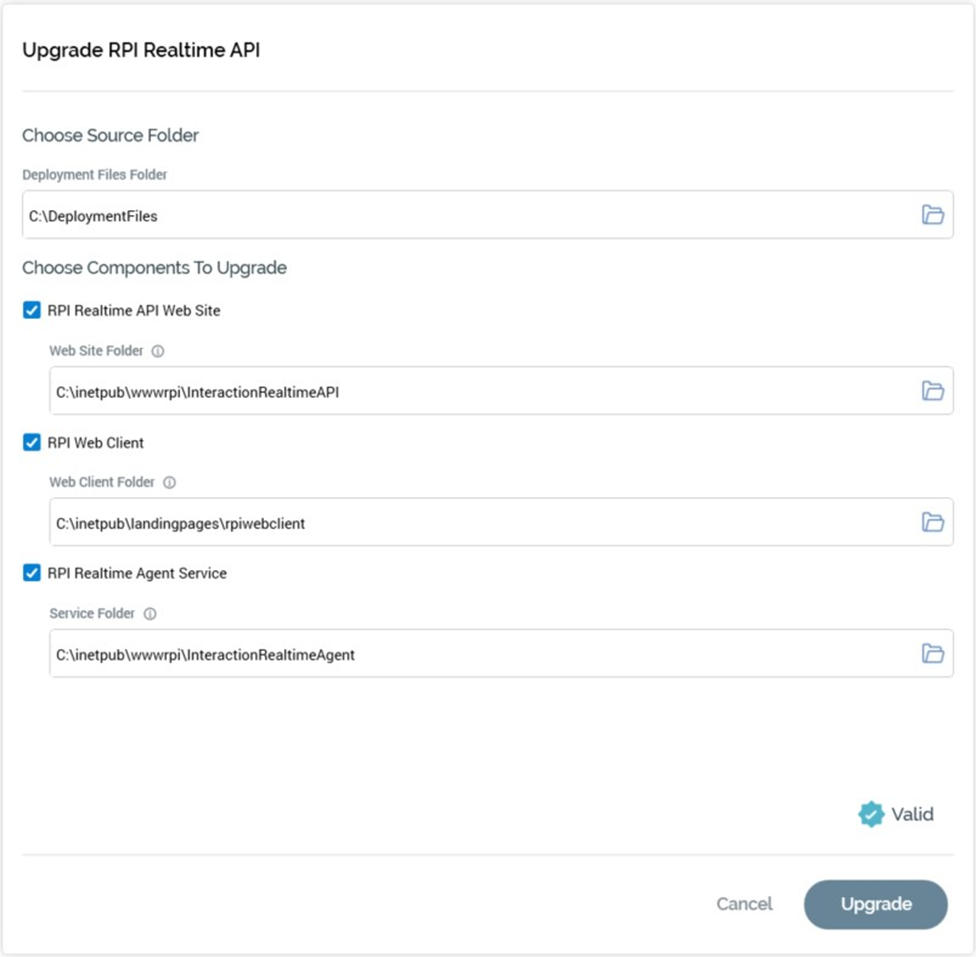
The overlay contains the following:
-
Choose Source Folder section:
-
Deployment Files Folder: mandatory.
-
-
Choose Components to Upgrade section:
-
Checkboxes:
-
RPI Realtime API Web Site: checking displays the Web Site Folder property.
-
RPI Web Client: checking displays the Web Client Folder property.
-
RPI Realtime Agent Service: checking displays the Service Folder property.
-
All checkboxes are unchecked by default, and it is mandatory to check at least one checkbox.
-
-
Web Site Folder property: this is displayed and enabled when the RPI Realtime website checkbox is checked. It is mandatory when displayed. It represents the physical address of the RPI Realtime website.
-
Web Client Folder property: this is displayed and enabled when the RPI Web Client checkbox is checked. It is mandatory when displayed. It represents the full path of the rpiwebclient folder.
-
Service Folder property: this is displayed and enabled when the RPI Realtime Agent Service checkbox is checked. It is mandatory when displayed. It represents the folder hosting the Realtime Agent service.
-
Error Details section: this section is displayed when errors occur during upgrade, and documents the issues found.
-
Buttons:
-
Upgrade: if you click this button when one or more validation errors are present, a warning message is displayed. Invocation displays the Copy Log To Clipboard button and performs the upgrade. A message is displayed upon its successful completion.
-
Copy Log To Clipboard: clicking this button copies log entries generated during upgrade to the clipboard.
-
Cancel: invocation of this option removes the overlay from display.
-
-
Please note the following:
-
Errors will occur if you attempt to upgrade the RPI Realtime application prior to its having been installed.
-
RPI Realtime will need to be upgraded separately at each cluster node exposing Realtime functionality.
-
If there are any custom plugins that you wish to retain in the RPI Realtime service’s bin folder following upgrade, please include within the same a text file called ‘plugins.txt’, in which are listed the name(s) of the .DLL(s) in question. Filenames should include the extension, and each should be placed on a separate line within the file. Failure to do so will see the plugin(s) deleted by the upgrade process.