

Support for this connector has been deprecated and will be removed in a future release. Refer to the Connector deprecation plan for details.
This section describes how to configure a Teradata connection for a specific Redpoint Interaction tenant running within a container application. Please follow the steps below:
-
In the Configuration Editor’s Data Warehouse Settings section, select the Teradata provider.
-
Enter the required parameters such as Server, Database Name, Username, and Password.
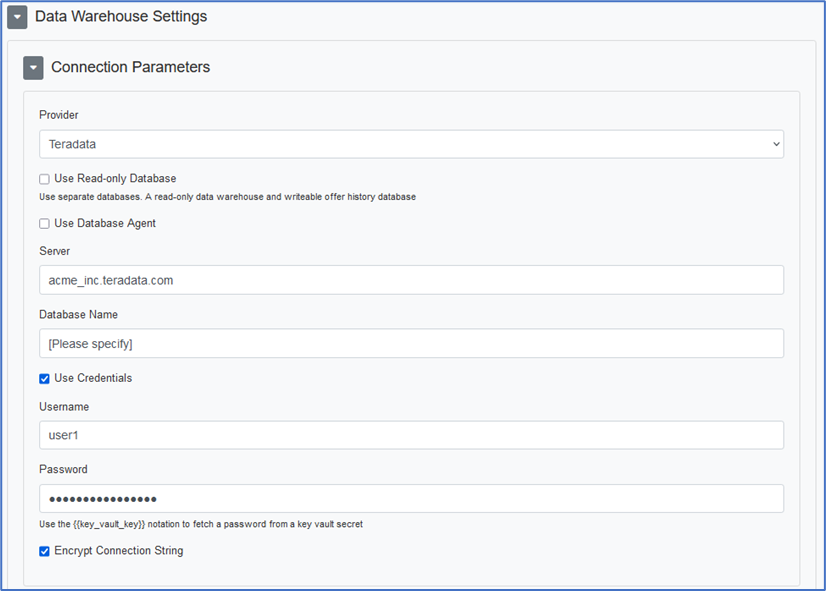
-
Copy the JSON text template to provision the new tenant.
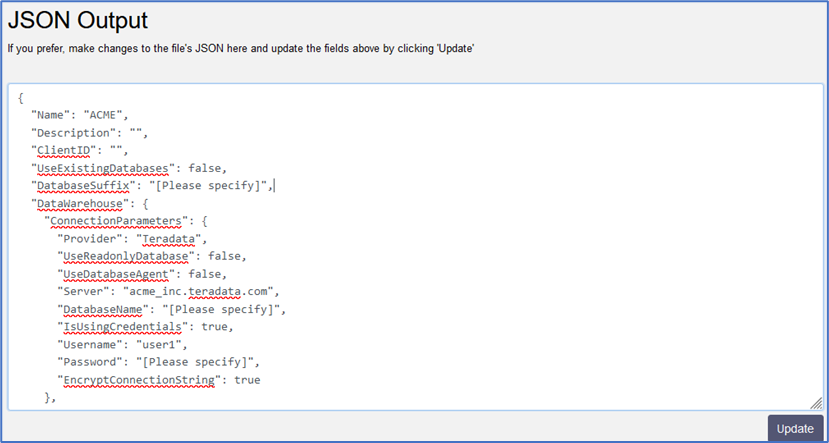
-
Once the tenant has been provisioned, a sample connection string is generated.
Data Source=acme_inc.teradata.com;User ID=user1;Password=*****
-
For more information about Teradata connection string parameters, please see https://teradata-docs.s3.amazonaws.com/doc/connectivity/tdnetdp/20.00/help/webframe.html.