

Overview
This section describes how to configure Databricks using the Simba Apache Spark ODBC driver. Please follow the steps below:
-
In your
docker-compose.ymlfile, ensure that following entries below are defined.
volumes:
         -./config/odbc:/app/odbc-config
-
Create new or edit existing
odbc.inilocated at./configlocal directory:-
Set the Databricks ODBC name
-
Set
Driver=/app/odbc-lib/simba/spark/lib/libsparkodbc_sb64.so -
Provide credentials, e.g.
-
[ODBC]
Trace=no
[ODBC Data Sources]
databrick=Simba Apache Spark ODBC Connector
[databrick]
Driver=/app/odbc-lib/simba/spark/lib/libsparkodbc_sb64.so
SparkServerType=3
Host=[ENVIRONMENTAL SETTING]
Port=443
SSL=1
Min_TLS=1.2
ThriftTransport=2
UID=token
PWD=[ENVIRONMENTAL SETTING]
AuthMech=3
TrustedCerts=/app/odbc-lib/simba/spark/lib/cacerts.pem
UseSystemTrustStore=0
HTTPPath=/sql/1.0/warehouses/c546e1e69e8d2ac9
User credentials: Personal access token
-
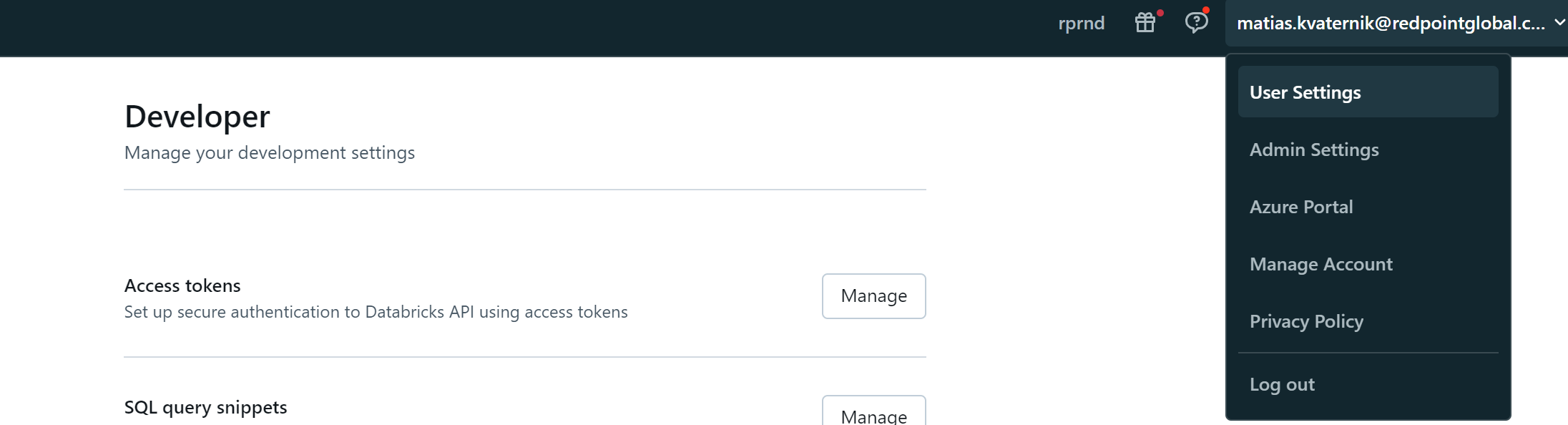
Create your own personal access token from User Settings > User > Developer > Access Token.
-
Use “token” as the username and then for the password enter you personal access token.
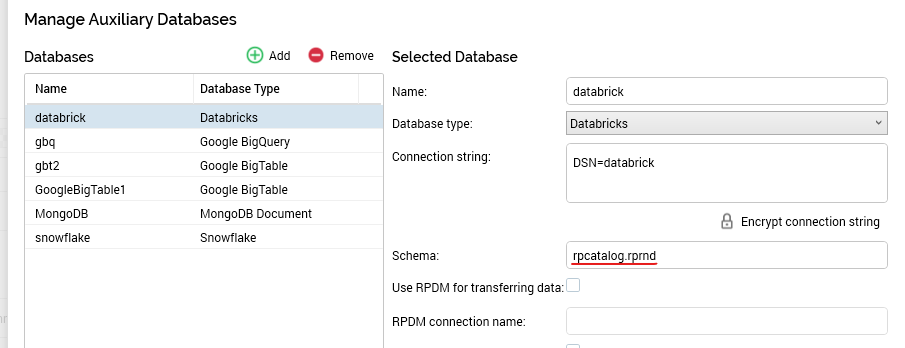
Interaction configuration: Schema
Schema = <catalog>.<schema>
Additional resources