

Support for this connector has been deprecated and will be removed in a future release. Refer to the Connector deprecation plan for details.
This section describes how to configure data connections for the Apache Cassandra auxiliary database.
-
Launch Interaction Server Workbench and log in.
-
Select the Clients tab and select client.
-
Click Manage Auxiliary databases.
-
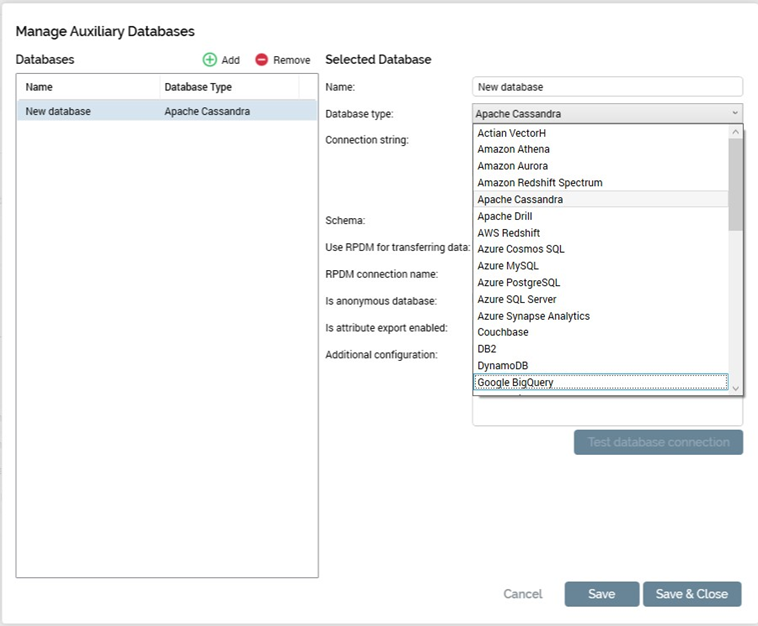
In Manage Auxiliary Databases, click Add and choose Apache Cassandra.
-
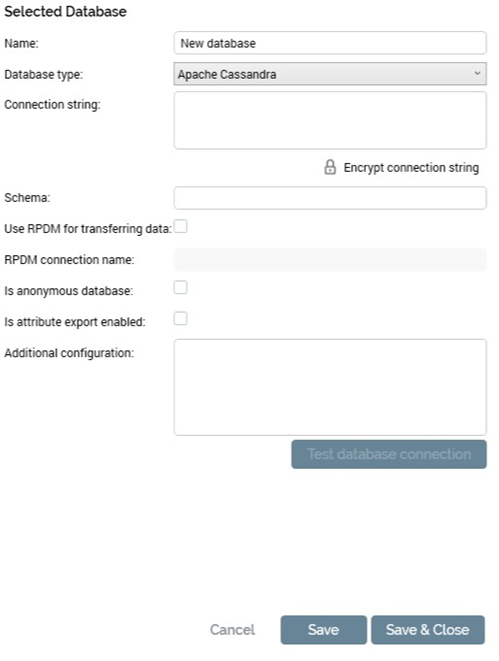
In the Selected Database section, enter the name, connection string and Schema.
-
Connection string must have the following details:
Contact Points=<IP Address>;Port=<Port>;Default Keyspace=<schema>
e.g.,Contact Points=10.100.68.167;Port=9042;Default Keyspace=demores
To use SSL, use theUseSSLForCosmosDBparameter. -
Click Save and click Test database connection to test the connection.
-
Once the connection is successful, Click Save & Close.