

Creating a Topic in Google Pub/Sub
This section describes how to create a new Topic in Google Pub/Sub. Please follow the steps below:
-
In a web browser, navigate to https://console.cloud.google.com/.
-
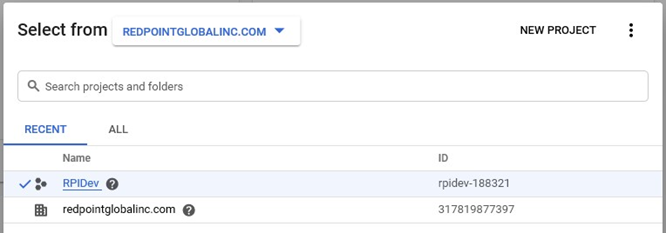
Click the menu next to the Google Cloud Platform header text.

-
Select a project by checking its name and pressing the Open button.
-
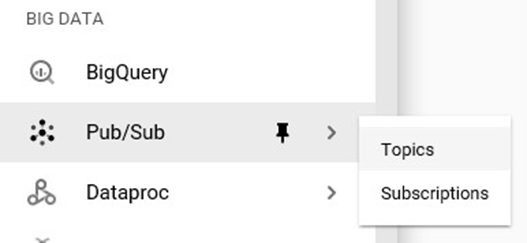
In the left-hand panel, under the Big Data section, select Pub/Sub->Topics.
-
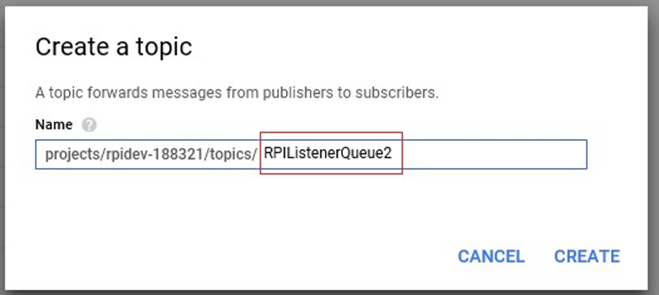
In the Topic page, press Create Topic. Complete the Topic Name field and press Create to save.

Creating a Subscription in Google Pub/Sub
This section describes how to create a new Subscription for a specific Topic. Please follow the steps below:
-
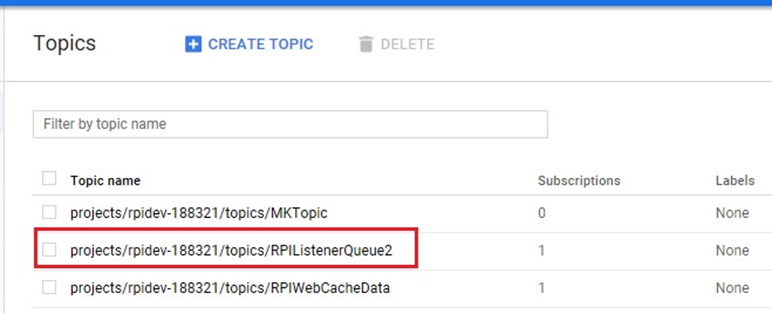
Go to the Topics page as documented in the previous section above.
-
Select a Topic from the list by double-clicking it.
-
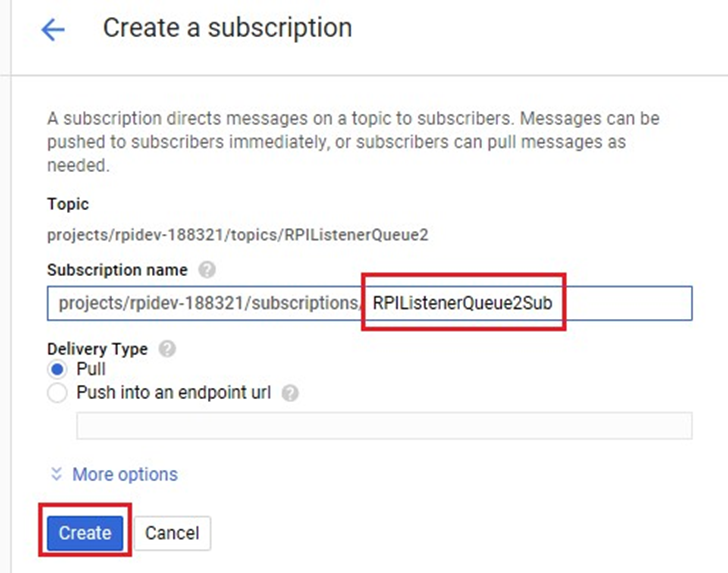
In the Topic Details, press Create Subscription. Complete the Subscription Name field then press Create to save.

Setting up Windows Environment Variables
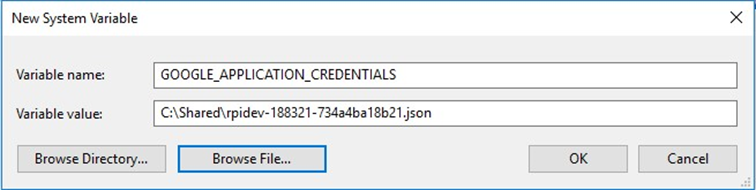
This section describes how to setup the Google service account key (in JSON format) as the Windows environment variable GOOGLE_APPLICATION_CREDENTIALS. Please follow the steps below:
-
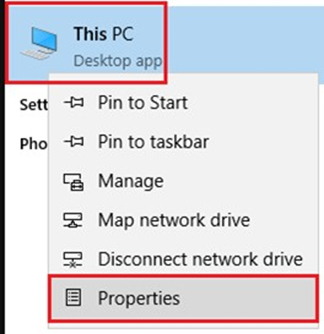
At the target computer, right-click ‘This PC’ and select Properties.
-
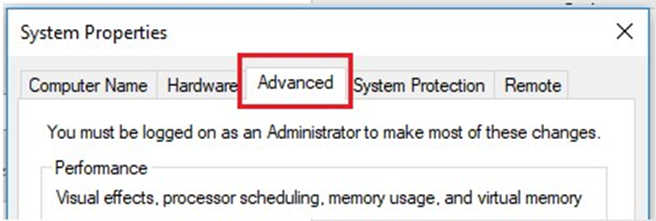
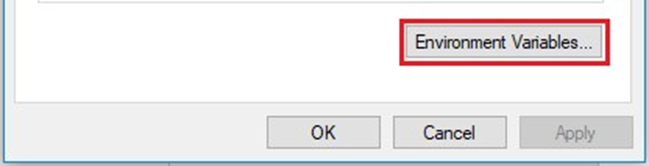
Go to the Advanced Tab and click Environment Variables.
-
In System Variables, press the New button. Complete the fields below, then press OK to save.
-
Restart the machine for the new setting to take effect.